
A First Look at the Farenor Personal Financial OS
An internal Farenor development in progress.
The first article in this series explained why I started building the Farenor Personal Financial OS. This one shows what the system looks like today.
The screens below come from an internal illustrative demo populated with fictional data. Names, balances, transactions, and prices are examples—not live financial information. The demo shows the interface and selected capabilities as they are being developed; it is not a finished public product.
One place to see the overall picture
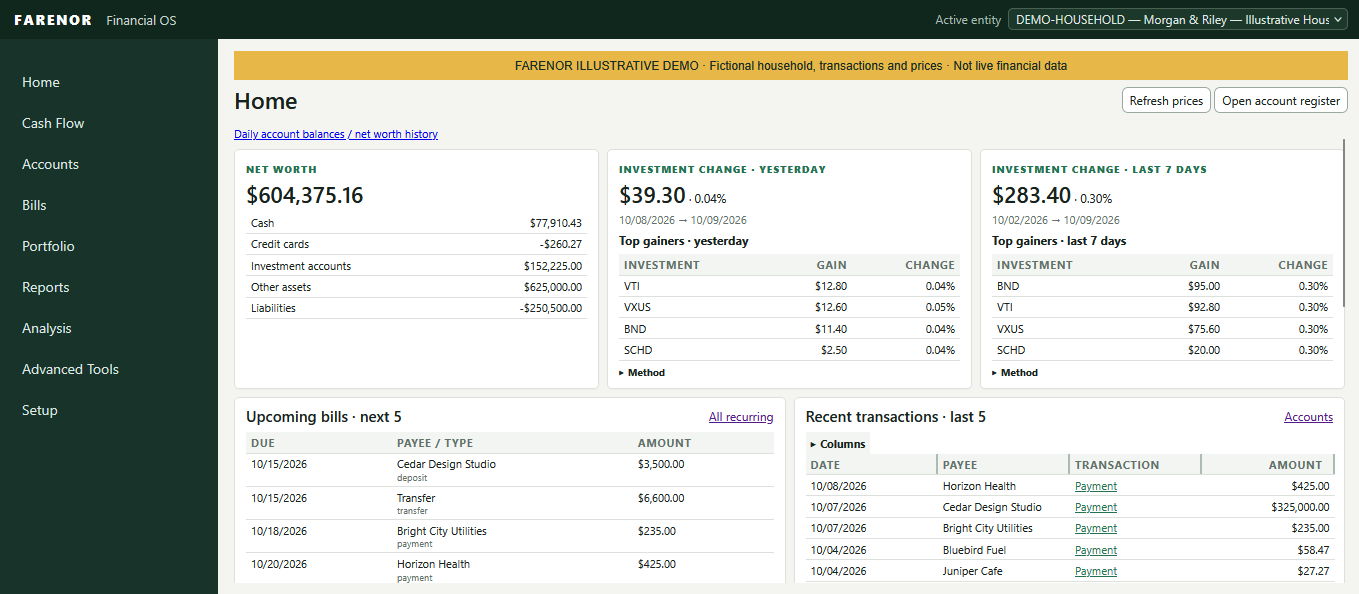
The home screen brings several parts of the system together: a net-worth summary, recent investment changes, upcoming scheduled activity, and recent transactions. It gives the user a quick overview, with links into more detailed account and register views.
Accounts organized across the household
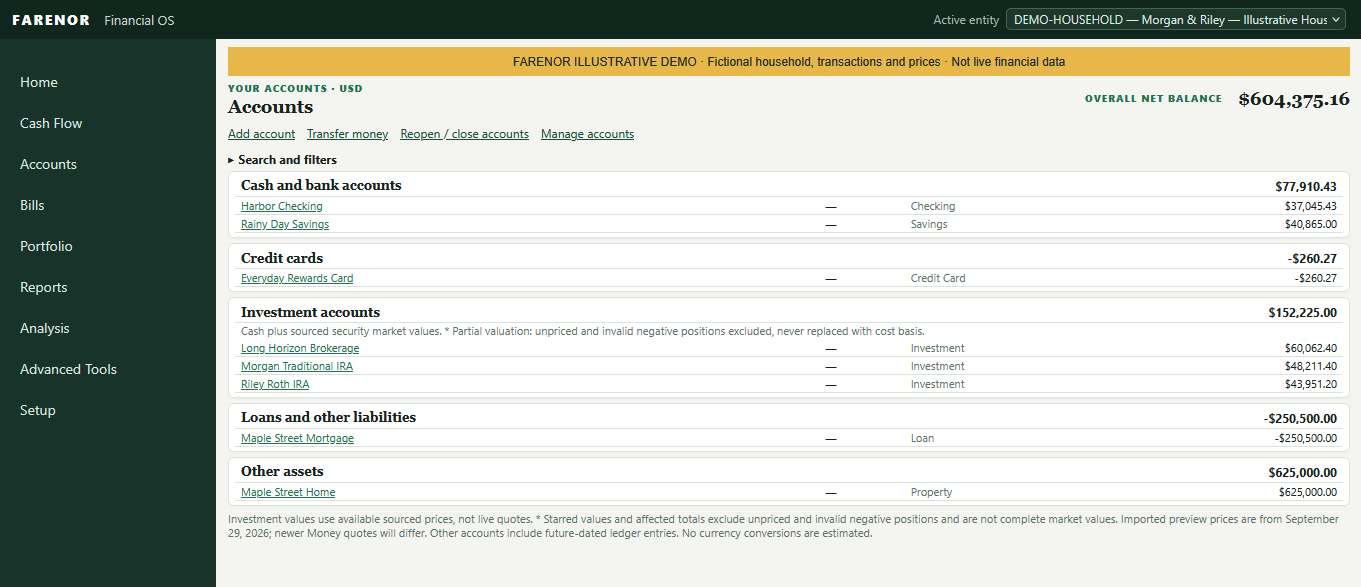
The Accounts screen groups cash, credit cards, investment accounts, loans, and other assets. The sample data shows how different parts of a household’s finances can appear in one place while remaining organized by account.
Investment values depend on available price information. The demo notes when valuations are partial; displayed values are not live quotes.
Portfolio detail beyond the account balance
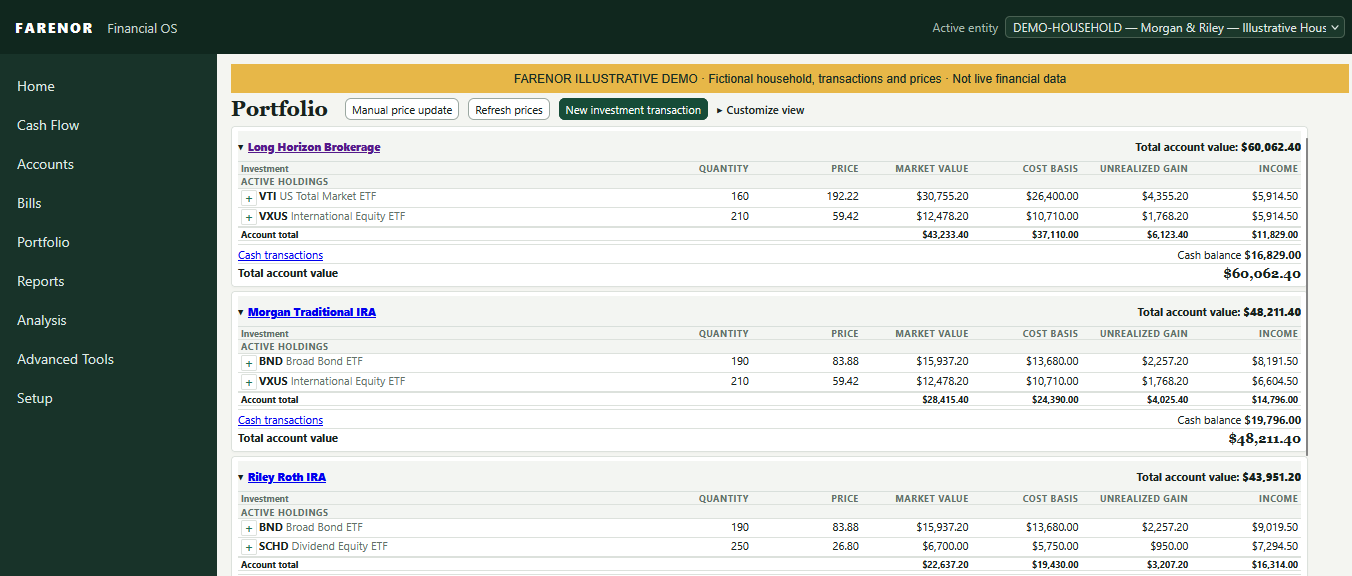
The Portfolio screen shows individual holdings within each investment account, including quantity, price, market value, cost basis, unrealized gain, and income. Cash is shown separately, with a link to its associated transactions.
Managing recurring activity
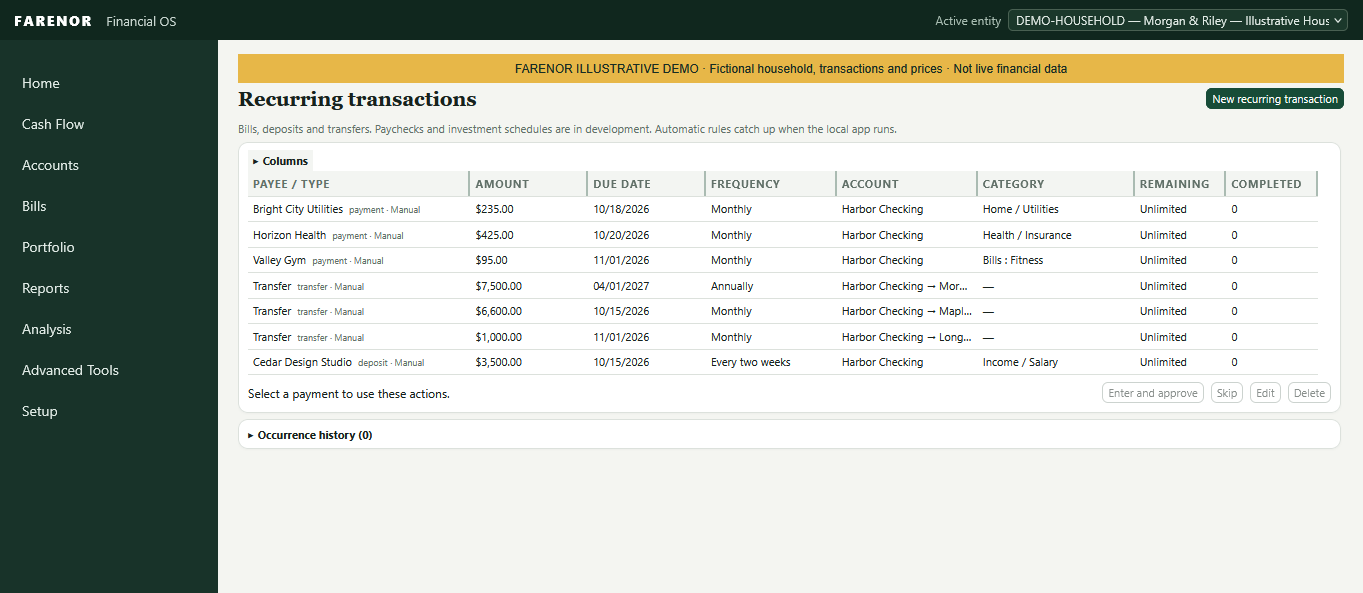
The recurring transactions screen brings scheduled bills, deposits, and transfers into one view. Each item can show its next date, frequency, account, category, and remaining occurrences. The current screen identifies paycheck and investment schedules as still in development.
The editor supports more than a fixed amount. A recurring amount can increase or decrease by a set amount or percentage, with the adjustment applied to future occurrences. One scheduled occurrence can also be changed without changing the rest of the series.
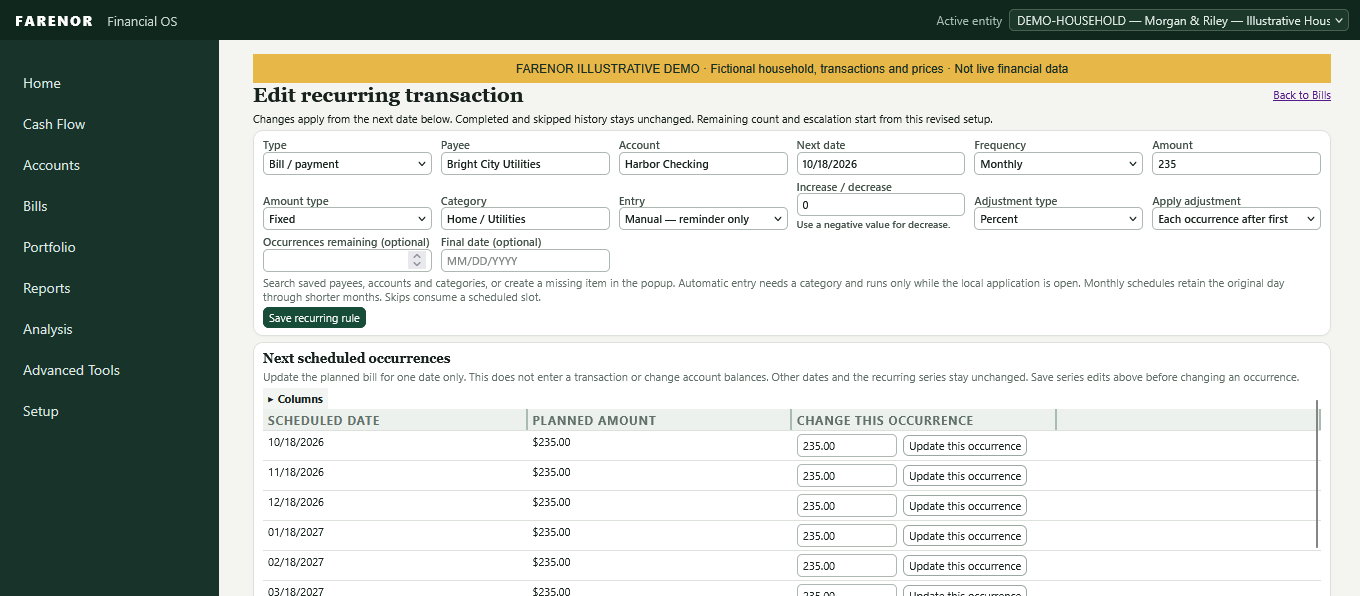
Scheduled items remain plans until they are entered and approved as transactions. The editor includes a manual reminder mode; automatic entry runs only while the local application is open. This is recurring transaction management, not an external bill-payment service.
Looking ahead with cash flow
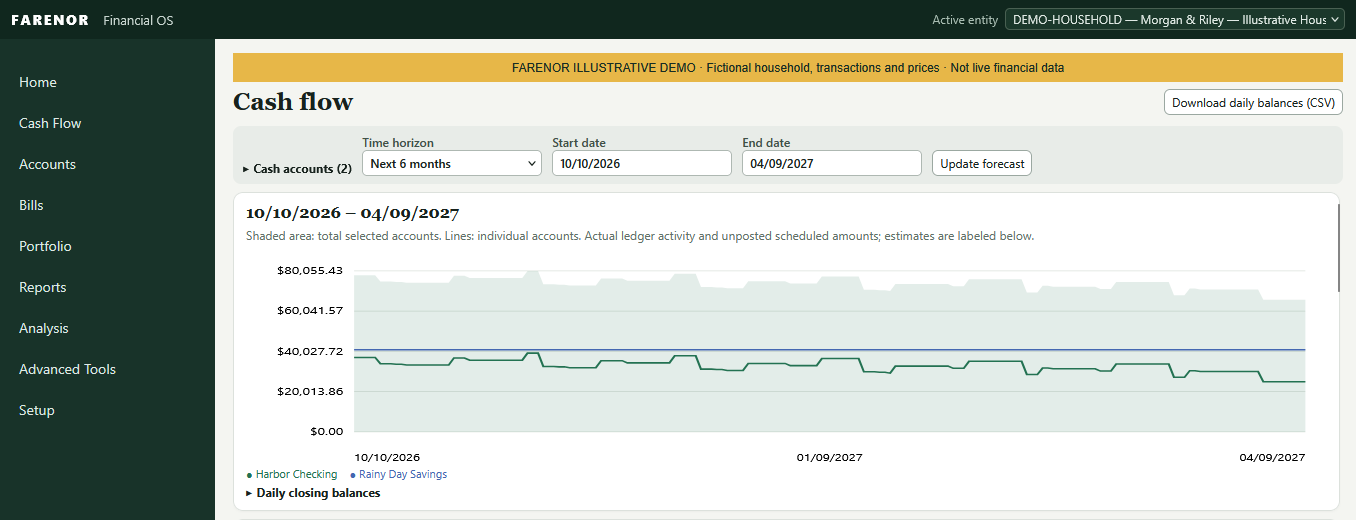
The Cash Flow screen plots projected daily balances over a selected date range. It can show multiple cash accounts together and separately. The forecast combines actual ledger activity with unposted scheduled amounts, and estimates are labeled.
The chart is a planning view, not a record of completed transactions. Forecast results depend on the dates, schedules, and assumptions entered into the system.
An evolving internal project
These screens show how the system is developing, not a finished commercial product. The OS is being built and tested in stages, with an emphasis on keeping financial records organized and making analysis easier to inspect. Personal financial data remains private; public examples use fictional sample data.